I run the lights · Film & TVFor my production
movie Film & TV · on the console

Patch the pre-rig straight from the plot they sent you instead of typing two hundred fixtures during unpaid prep. Address, mode, PWM frequency and live battery sit on the fixture pill, so an Astera gets configured from the floor rather than from a ladder. Build the next look blind and diff it against what is live before you commit.

Two universes or two hundred, mostly wireless. CRMX to the tubes and panels, sACN when someone gives you a run.

  • check_circlePatch the pre-rig from the plot they sent you
  • check_circleAddress, PWM and battery on the fixture pill
  • check_circleBuild blind, then diff what actually changed
  • check_circleOutput survives backgrounding and a pulled cable
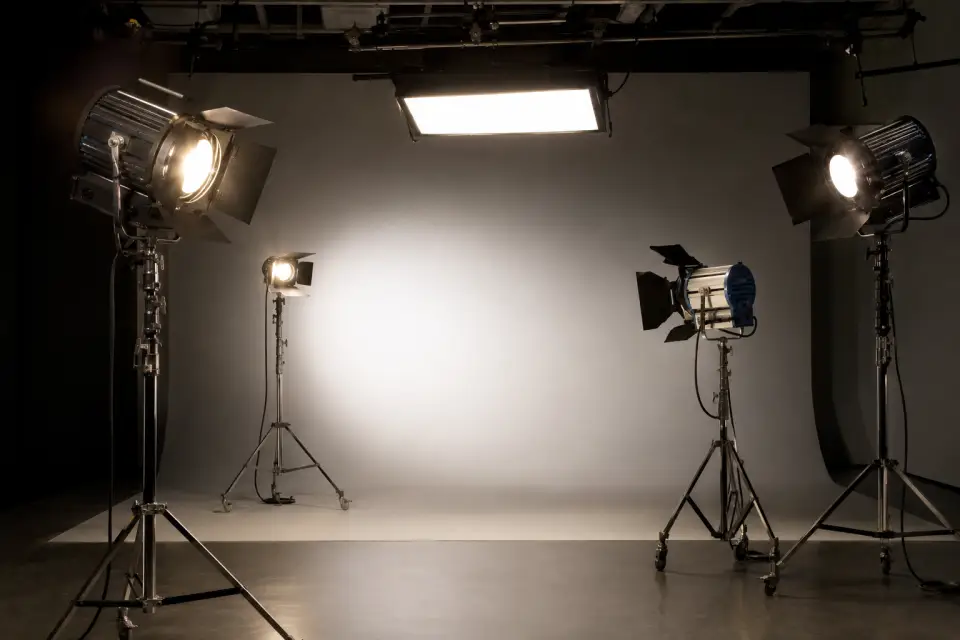
A film set lit with Blackout
Start here (suggested)Advanced
2U to Uncapped
Two to eight covers a typical set
Wi-Fi · Cerise
Wireless DMX to the rig
Titan · SkyPanel · Aputure
Verified profiles for set fixtures
Lit Duo 1
Match a practical or a window
A day with Blackout · Film & TV

How it actually runs.

01Load-in

patch from the truck list, label by set position

02Blocking

walk with camera, change looks from the floor

03Turnaround

the programmer walks with the camera, and the console comes along

04Wrap

auto-backup, showfile to the cloud for tomorrow's unit

Film & TV · tailoredEvery Titan tube, from the iPad.Battery, runtime, wireless config and control for the tubes and panels that fill a film rig. No separate app, no walking to the fixture.
Fixture controlsfeature-fixture_controls
Film & TV · tailoredCCT and ±green the way the DP asks for it.Dial Kelvin and green/magenta in HSI or land an exact xy target, and keep it consistent across ARRI, Astera and Aputure in the same shot.
Pixel mapfeature-pixelmap
Film & TV · tailoredThe plot at video village.LivePlot is a live map of the set, laid out the way you placed it. The DP and director open it read-only on their own iPads for free. QuickPlot for the company move.
The numbers that matter

Everything a desk does. None of the setting-up.

LivePlotfeature-liveplot
Universes2 universes on Core. Uncapped on Command. Pick the tier by the rig and the tools the job needs.Every plan is the whole console at its core: patch, cues, effects, faders and LivePlot. Universes, collaborators, backups and the deeper color tools step up with the tier.
2U to Uncapped
Universe output, by plan
5 min
Auto-backup, local + cloud
2 collaborators
Showfile sharing, Pro and up
4 GB
Cloud storage on Command
sACN Art-Net DMX inOSC MIDI
ProtocolsOut over Wi-Fi or Ethernet to any node. In from any desk, pad or clock.Merge, monitor and trigger from DMX in; timecode and controllers over OSC and MIDI.
Fixture controlsfeature-fixture_controls
Color pipelineNative color in, native color out.RGB, CMY, HSI or CIE xy per fixture, per-fixture color trims, NDI® media in on Pro, the whole pipeline in ACES on Command.
Fadersfeature-faders
Never lose a showAuto-backup down to every 5 minutes, local and cloud.Up to 15 timestamped copies per showfile, and sharing with the programmer or designer you're working with.
Protocols & integrations

Talks to what's already on your truck.

Output & input
  • ethernetsACNOut over Wi-Fi or Ethernet, to any node
  • ethernetArt-NetOut over Wi-Fi or Ethernet, to any node
  • DMX inMerge, monitor and trigger from any desk
Control & triggers
  • cableOSCCue and parameter control from any app or desk
  • midiMIDITimecode, controllers, encoders

  • ElgatoStream DeckTap-to-map buttons, saved in the showfile
Fixtures & wireless
  • AsteraAsteraBattery, runtime and config, natively
  • CeriseCeriseWireless DMX to the rig
  • LumenRadioStardustDirect control from the console, wireless to the receivers
Color & media
  • LIT SystemsLit Duo 1Meter-driven color matching (Advanced+)
  • castNDI®Video into the pixel map, with WHIP, RTMP, SRT, SRT pull and RTSP inputs too (Pro+)
  • paletteACESColor-managed pipeline (Command)
  • tunePer-fixture color trimsTrim the color of each fixture on its own, for the unit that always runs warm (Command)

NDI® is a registered trademark of Vizrt NDI AB.

Inside the console

Every tool in the console.

Patch screenfeature-patch
PatchPatch by the hundred, not one at a time.Batch address, label and sort fixtures in a visual patch built for speed. Every profile comes from the Blackout Fixture Database™: verified, updated daily, with a Fixture Creator for anything custom.
Multi-mode profiles, one-click patchingBattery and status readouts for Astera fixturesCustom fixtures in minutes
Fixture controlsfeature-fixture_controls
Fixture ControlsDial in color in the model the fixture actually thinks in.HSI, CMY, RGB or xy. Switch between them mid-look and stay consistent across brands. Every other parameter is one swipe away.
PixelMap · LivePlotPixel mapping, inside the console.Pixel mapping normally means a second machine and an hour of networking before anyone can test a look. Here it is the console: same showfile, same screen, nothing to network. Sources are tagged with the color space they were made in, composited in ACES on Command, and delivered to each fixture as RGB, CMY, HSI or CIE xy. NDI® input on Pro and up; ISF shaders and per-fixture trims on Command.
A live map of the rig: intensity, color and position as they changeQuickPlot for fast layouts on the dayPixelMaps drive color + dimmer per pixel (Command)
Effects enginefeature-effects
EffectsAn effects engine that doesn’t need a manual.Nearly any effect in two steps: intensity chases, color loops, lightning, phaser and spline waveforms, effects layered on top of a cue. Phase, spread, offset, rate and size are controls, not a spreadsheet of hand-typed offsets, and effects run per group so a 200-fixture rig behaves like one instrument.
Built-in library + custom effectsPhase · spread · offset · rate · sizeEffect on top of cueGroup-based, audio-reactive
Fadersfeature-faders
Sequences · Faders · MacrosCue it like a desk. Carry it like a tablet.Per-fixture fade and delay, layered cues with priority handling, faders for live transitions, and macros for the one-tap looks your client wants.
EDIT RENAME DELETE CLONE
QuickHUD

Five actions. One finger. Always the same place.

Press and hold any effect, group, look, favorite or macro and the HUD opens under your finger. Edit, Rename, Clone, Move, Delete. Six slots, five actions, and the bottom one left empty so your finger never covers what you are reaching for.

The smallest details carry the most weight here. Actions that don’t apply dim where they sit instead of disappearing, so the shape never changes and your finger stops hunting for it.

Blackout Fixture Database™

A console is only as good as its profiles.

Every cue, every color, every effect is built on the assumption that channel 14 does what the chart says it does. Get that wrong and nothing above it can be right.

40,000+profiles, built in-house and human-verified
Verifiedprofiles tested working on the real light, an industry first
Hourstypical turnaround on a new profile request
Dailyupdates, delivered inside the console

On most consoles, fixing a bad profile lands on your programmer’s clock before a single cue exists.

The libraries you can license are built once, at scale, from paperwork, and the mistakes ship with them: wrong channel counts, missing modes, a profile that doesn’t match the light in front of you. The shared formats don’t rescue it either. A GDTF file only carries what the manufacturer put into it, errors included.

The crux of the whole thing

We tried to buy one. We licensed an industry library, went through it, and found too much of it wrong to patch. So we threw it out and rebuilt every profile by hand.

40,000+ profiles, human-verified. Built in-house, not licensed, updated daily, and new ones typically land within hours of a spec sheet. It is the largest human-verified fixture library in lighting and it lives inside the console.

Industry first

Verified profiles.

A verified profile has been tested working on the fixture itself, not just checked against the manufacturer’s chart. Patch one and every channel does what it says.

Fast turnaround

Missing a profile? Ask for it.

Request it in the help center. New profiles are built by hand and typically land within hours of a spec sheet.

Request a profilearrow_forward

Patch a rig tonight.

Free account, 14-day trial on any plan when you need output. Your showfiles stay on your iPad and are always yours.